So far, we have encountered the numeric Python types integer and float. These types can represent a wide range of values with high precision. This flexibility comes at a cost, however: higher-precision data types generally require more memory and may slow down computation, because retrieving data from memory takes time. This can become particularly important when working with large images, where millions of values need to be stored and processed.
For these reasons, Numpy offers a range of numeric datatypes, with different precision and other properties:
The number of bits indicate how much memory is required to store each value. Eight bits make up one byte, and a million of those is known as a megabyte, or MB. So, storing a 1000×1000 image as uint8 requires 1 MB, and storing the same image as int64 requires 8 MB.
‘Traditional’ image formats (jpg, png, gif) commonly store red, green and blue pixel values as three 8-bit unsigned integers. For many photographs, the \(2^8\)=256 levels provided by uint8 are sufficient. Medical images, however, often require higher precision, a sign, and perhaps floating point numbers. The float32 datatype is therefore a practical and safe choice for many applications. On the contrary, binary segmentation masks could be stored as Boolean values. Segmentation labels (such as 0 for background, 1 for gray matter, 2 for white matter, etc.) could be efficiently stored as uint8.
The Python datatype float is typically a 64-bit floating point number. In many other programming languages, however, such as C++ and MATLAB, a float or single refers to a 32 bit-bit floating point number. The 64-bit floating point is known as a double. The 16-bit floating point is known as half precision, and is mainly used in applications where memory is a bottleneck and precision is less important, such in neural networks.
When creating a new Numpy array, the optional keyword argument dtype can be used to specify the datatype explicitly. If it is omitted, Numpy automatically chooses a type that can represent the given values:
import numpy as nprgb = np.array([255, 140, 28], dtype=np.uint8) # uint8 datatype specifiedprint(f'{rgb} is stored as {rgb.dtype}')array = np.array([-1000, 500, 2000]) # Datatype not specifiedprint(f'{array} is stored as {array.dtype}')binary_mask = array >0# Result from a logical operationprint(f'{binary_mask} is stored as {binary_mask.dtype}')
[255 140  28] is stored as uint8
[-1000   500  2000] is stored as int64
[False  True  True] is stored as bool
11.2 Wrapping and Clipping
An existing Numpy array can be casted to another datatype using the .astype() method. Use this with caution, because Numpy will not check if all values can be represented in the new datatype. Numbers will not be clipped (i.e. rounded to the nearest possible value), but wrapped:
array = np.array([-1, 0, 1], dtype=np.int8) # int8 allows storing signed numbers, such as -1.array.astype(np.uint8) # uint8 does not store signed numbers: -1 will be wrapped to (-1 + 256 = 255)!
array([255, 0, 1], dtype=uint8)
array = np.array([254, 255, 256], dtype=np.int16) # int16 allows storing signed numbers up to 32676array.astype(np.uint8) # the maximum value of a uint8 is 255: 256 will be wrapped to (256 - 256 = 0)!
array([254, 255, 0], dtype=uint8)
If you would like to clip values, you should do that explicitly:
array = np.array([-1, 0, 1], dtype=np.int8) # int8 allows storing signed numbers, such as -1.array.clip(0, 255).astype(np.uint8) # Clip to the range supported by uint8
array([0, 0, 1], dtype=uint8)
Wrapping also occurs in calculations, so make sure that the chosen datatype is appropriate for the image processing that you have in mind:
array = np.array([0, 50, 200], dtype=np.uint8) # the maximum value of a uint8 is 255array *4# (200×4 = 800) will be wrapped to (800 - 3×256 = 32):
array([ 0, 200, 32], dtype=uint8)
array = np.array([0, 100, 200], dtype=np.float32)(array **4) /3-1000# float32 has a sufficient range and precision:
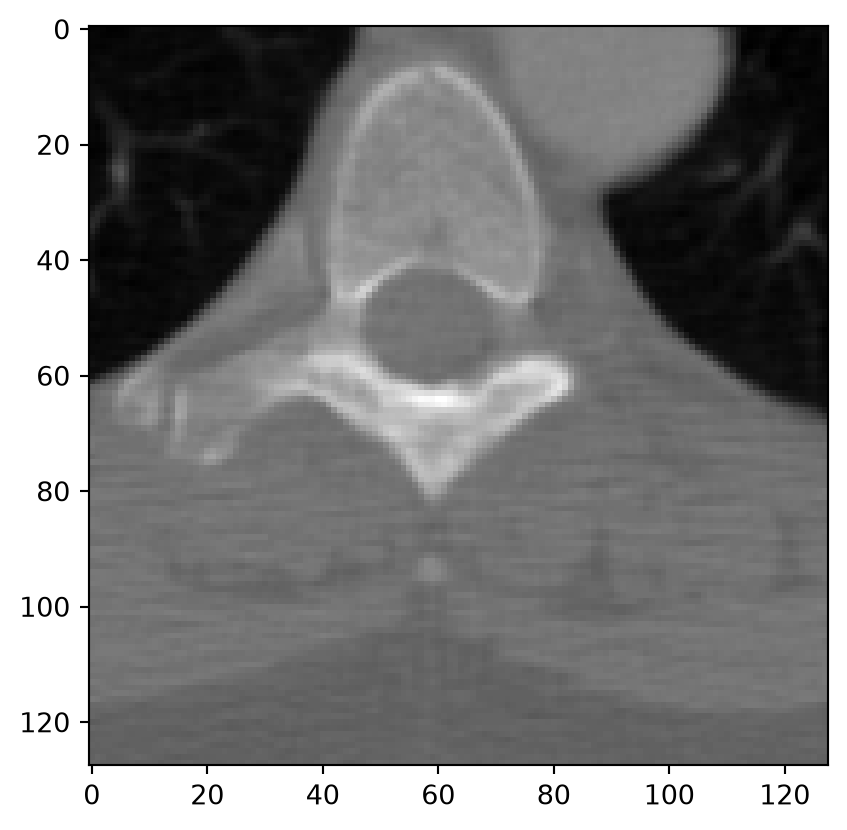
Let’s find out how this affects images. First, read a test image and print the datatype. The datatype is int16, which allows integer numbers up to 32767.
import matplotlib.pyplot as pltfrom pydicom import dcmreadfrom pydicom.data import get_testdata_file# Read a test image.file_path = get_testdata_file("CT_small.dcm") # Obtain the path to the test image.dicom_image = dcmread(file_path)image = dicom_image.pixel_arrayprint(f'The image has data type {image.dtype}, and the brightest pixel has the value {image.max()}')plt.imshow(image, cmap="gray")plt.show()
The image has data type int16, and the brightest pixel has the value 2191
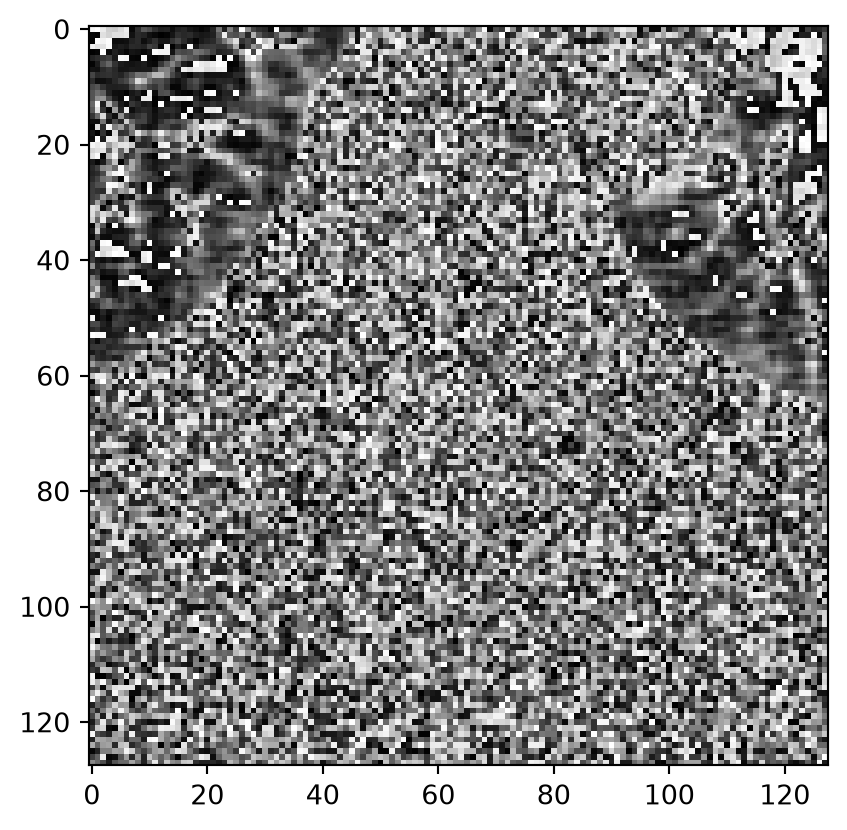
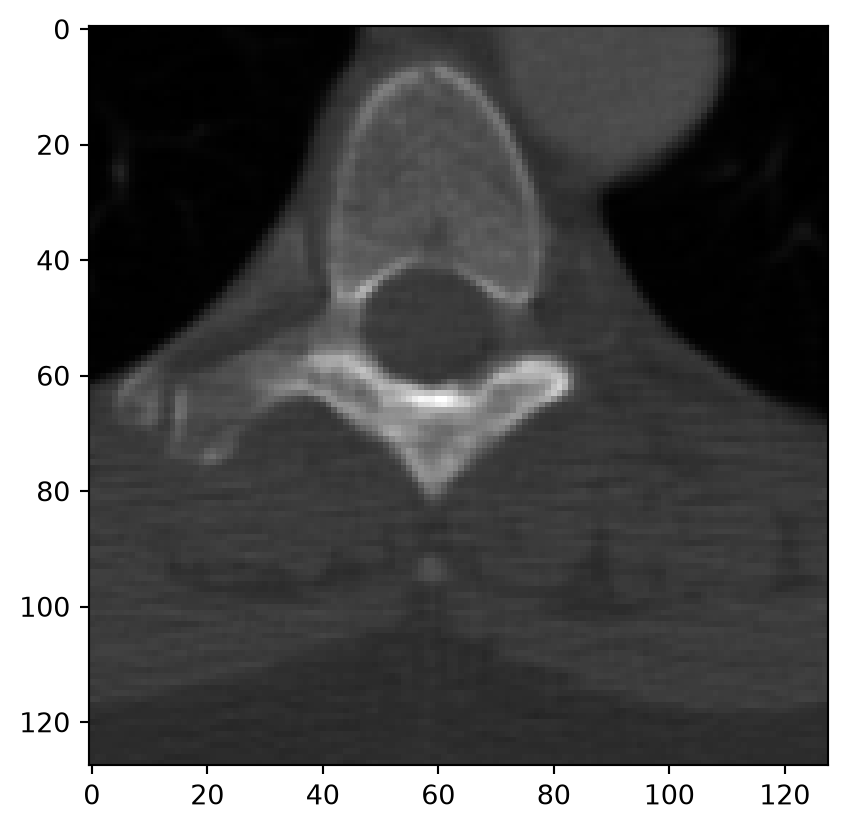
Now let’s try squaring the pixel values. Not that the majority of the squared values are wrapped because values like \(2000^2=4\times10^{6}\) obviously do not fit in int16 😱:
squared = image.astype(np.float32) **2print(f'The squared image has data type {squared.dtype}, and the brightest pixel has the value {squared.max()}')plt.imshow(squared, cmap="gray")plt.show()
The squared image has data type float32, and the brightest pixel has the value 4800481.0
11.3 Assignments
You’ve reached the end of this week’s study material! During Friday’s practical session, you can work on this week’s assignment, which can be found in the course materials.